
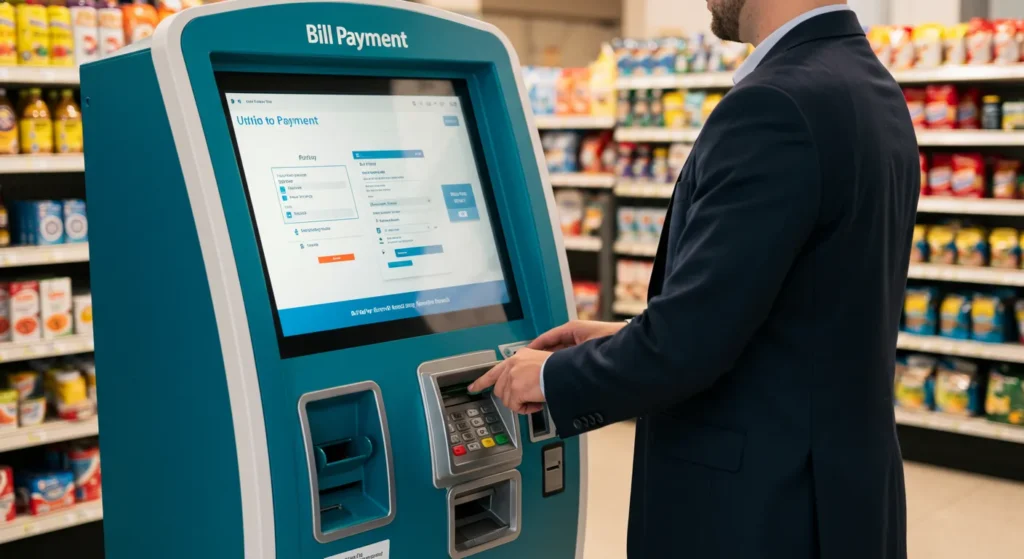
In today’s fast-paced world, convenience is king. Nowhere is this more evident than in how we manage our finances and pay our bills. Bill payment kiosks have emerged as a powerful solution, bridging the gap between traditional payment methods and the demand for 24/7 accessibility. These self-service terminals offer a secure, efficient, and user-friendly way for consumers to settle payments for utilities, credit cards, loans, rent, and more, without the constraints of business hours or the need for internet access or bank accounts. For businesses, they represent a strategic tool to improve collection rates, reduce operational costs, and enhance customer satisfaction. This comprehensive guide delves into every aspect of bill payment kiosks, exploring what they are, how they work, their benefits, key features, applications, security considerations, and future trends.

What Exactly is a Bill Payment Kiosk?
At its simplest, a bill payment kiosk is an interactive, self-service terminal that allows individuals to pay various bills in person using cash, checks, debit cards, or credit cards. Think of it as an automated payment center that brings the functionality of an online payment portal or a teller window into a physical, accessible location.
- Core Purpose: To provide a convenient, secure, and immediate way for people to pay bills, particularly targeting the “unbanked” and “underbanked” populations who may not have traditional bank accounts or credit cards, as well as those who prefer cash transactions or need to make last-minute payments.
- Beyond Simple Payments: While processing payments is the primary function, modern kiosks often offer additional services like account balance inquiries, payment history printouts, reconnection service requests (for utilities), and even mobile phone top-ups.
- Viktig differensiator: They offer immediate payment confirmation og accessibility. Unlike mailing a check or waiting for an online payment to process, kiosk transactions are typically posted to the customer’s account in real-time or near-real-time, providing instant peace of mind. They are also strategically placed in convenient locations like grocery stores, convenience stores, malls, and government offices.
How Do Bill Payment Kiosks Work? The Technical Breakdown
Understanding the mechanics reveals the sophisticated technology powering these convenient payment hubs.
-
Maskinvarekomponenter:
- Berøringsskjerm: The main user interface, designed for durability and ease of use in public spaces.
- Datamaskin/prosessor: The kiosk’s brain, running the specialized payment application software.
- Payment Acceptors:
- Bill Validator/Acceptor: Essential for cash payments. Accepts various denominations, validates authenticity, and securely stores cash in a cassette. High-capacity cassettes are crucial for high-volume locations.
- Coin Acceptor/Dispenser: Accepts coins and can provide change.
- Card Reader: Integrated device accepting debit/credit cards (with EMV chip and contactless/NFC capabilities like Apple/Google Pay) and sometimes ATM cards.
- Check Scanner: For locations accepting check payments, scans the check for processing (often via image capture for remote deposit).
- Inndataenheter: Keypad for PIN entry or account number typing, barcode scanner (for scanning bill stubs or customer account cards).
- Utgangsenheter: Thermal printer for receipts (showing confirmation number, amount paid, date/time), speakers for audio prompts/confirmations.
- Security Features: Physical locks, surveillance camera integration, encrypted PIN pads, tamper-evident sensors, and sometimes steel enclosures.
-
Programvarekomponenter:
- Programvare for kioskapplikasjoner: The user-facing interface. Designed for simplicity, clarity, and security. Guides users step-by-step through selecting a biller, entering account information, choosing a payment method, and confirming the transaction.
- Integrasjon av betalingsgateway: Securely connects the kiosk to payment processors to authorize card transactions and facilitate the transfer of funds.
- Biller Integration Middleware: The critical link to the companies being paid (utilities, banks, lenders). This can happen via:
- Direct API Integration: Real-time connection to the biller’s system for instant posting and confirmation.
- Payment Processor Network: The kiosk connects to a third-party payment processor (like Fiserv, FIS, Paymentus) that aggregates payments from many kiosks and settles them with various billers, often via batch processing.
- Transaction Management System: Tracks all transactions, generates reports, manages reconciliation, and handles exceptions.
- Programvare for fjernstyring og overvåking: Allows operators to monitor kiosk status (cash levels, paper levels, error codes), perform remote diagnostics, update software, and pull transaction reports remotely. Essential for managing a network of kiosks.
- Security Software: Firewalls, encryption (end-to-end), and secure boot processes to protect sensitive financial data.
-
Brukerflyten:
- Innvielse: Customer approaches the kiosk, greeted by an attract loop or home screen listing biller categories.
- Biller Selection: Customer selects the type of bill (e.g., Electric, Water, Credit Card) and then the specific company from a list or by entering a zip code.
- Account Identification: Customer enters their account number (via keypad or scanning a barcode on their bill) or identifies themselves via a card.
- Amount Entry/Verification: The system displays the amount due (if real-time integration) or the customer enters the amount they wish to pay. The customer confirms.
- Payment Method Selection: Customer chooses to pay by Cash, Card (Debit/Credit), Check, or sometimes Mobile Wallet.
- Payment Processing:
- Cash: Customer inserts bills/coins. Machine validates and counts. Dispenses change if applicable.
- Card: Customer inserts/taps card, enters PIN if required. Transaction authorized via payment gateway.
- Check: Customer inserts check, machine scans front/back for image capture.
- Confirmation & Receipt: System processes payment, displays a success message with a confirmation number, and prints a detailed receipt. Funds are routed to the biller (real-time or batch).
- Tilbakestill: Kiosken går tilbake til klar tilstand for neste bruker.

The Compelling Benefits: Why Kiosks Win for Customers & Businesses
The growth of bill payment kiosks is fueled by significant advantages for both the end-users and the businesses that deploy or utilize them.
For kunder:
- Unmatched Convenience & Accessibility: Pay bills anytime, day or night, including weekends and holidays. No need to rush to a payment center before it closes. Located in familiar, frequently visited places (stores, malls).
- Immediate Payment & Confirmation: Payments are often posted instantly or within hours, eliminating the worry of late fees associated with mailing checks or processing delays. Receipts provide immediate proof of payment.
- Payment Method Flexibility: Accepts cash, which is crucial for the unbanked/underbanked. Also accepts cards and checks, catering to diverse preferences.
- Privacy & Security: Conduct transactions privately without discussing account details with a teller. Kiosks employ robust security measures (encryption, secure cassettes) to protect cash and data.
- Simplicity & Ease of Use: Intuitive interfaces with clear instructions make paying bills straightforward, even for those not comfortable with online banking.
- Avoiding Late Fees: The ability to make instant payments right up to the deadline helps customers avoid costly late fees and service disconnections (especially for utilities).
- No Bank Account Required: A vital service for the millions of consumers who operate primarily with cash.
For Businesses (Billers & Kiosk Operators):
- Improved Collection Rates & Reduced Delinquency: By offering convenient payment options, especially in cash-preferred demographics, businesses collect more payments on time. Instant posting reduces the “float” time where money is in transit.
- Lower Transaction Costs: Kiosk transactions, especially cash, often have lower processing fees compared to credit card payments taken over the phone or via some online channels. They also reduce the costs associated with handling cash payments at physical locations (teller time, security).
- Reduced Operational Costs: Automating payment processing reduces the need for staffed payment centers or call centers handling payment inquiries. Remote monitoring minimizes on-site maintenance visits.
- Enhanced Customer Satisfaction & Loyalty: Providing convenient payment options improves the customer experience. Happy customers are more likely to remain loyal and recommend the service.
- Extended Service Hours: Effectively offer 24/7 payment collection without staffing overhead.
- Valuable Data & Analytics: Kiosk systems generate detailed data on payment volumes, peak times, geographic usage patterns, and preferred payment methods. This data is invaluable for optimizing operations and marketing.
- Reduced Fraud & Theft: Automated cash handling with secure cassettes and transaction tracking reduces the risk of internal theft and fraud compared to manual cash handling.
- New Revenue Streams (for Kiosk Operators/Host Locations): Kiosk operators can charge convenience fees. Retail locations hosting kiosks benefit from increased foot traffic and potential ancillary sales.
Key Features Defining Modern Bill Payment Kiosks
The most effective and secure bill payment kiosks share these essential features:
- Intuitivt og tilgjengelig brukergrensesnitt/brukeropplevelse: Large touch targets, simple navigation, clear icons, multilingual support (especially English and Spanish in the US), high contrast, and logical flow. Accessibility features (audio jacks, screen readers) are increasingly important.
- Multi-Biller Support: Ability to connect to a wide range of billers (utilities, telecom, cable, loans, credit cards, rent, insurance) either through direct integrations or a payment processor network. Easy biller lookup by name, category, or zip code.
- Diverse Payment Acceptance: Robust hardware for securely accepting and validating cash (bills and coins), dispensing change, processing EMV chip & PIN cards, contactless payments (NFC), and scanning checks.
- Real-Time or Near-Real-Time Posting: Integration capabilities that ensure payments are confirmed and posted to the customer’s account quickly, providing immediate peace of mind and preventing late fees.
- Robust Security: PCI DSS compliance for card processing, end-to-end encryption for all data, physical security (locks, tamper sensors), secure cash cassettes, surveillance integration, and secure PIN entry devices.
- Comprehensive Receipting: Detailed thermal receipts showing the biller name, account number (masked), amount paid, confirmation number, date, time, and location. Option for email/SMS receipts.
- Ekstern administrasjon og overvåking: Cloud-based platform for real-time monitoring of kiosk status (cash levels, paper, errors), remote diagnostics, software updates, transaction reporting, and alerting (e.g., low cash, paper jam).
- High Reliability & Uptime: Industrial-grade components designed for high-volume public use, minimal downtime, and easy maintenance. Features like uninterruptible power supplies (UPS) can be crucial.
- Reporting & Analytics: Built-in tools for generating reports on transaction volume, revenue, payment method breakdown, peak usage times, and kiosk performance metrics.
- Tilpasning og merkevarebygging: Ability to customize the kiosk interface with the biller’s or host location’s branding, colors, and messaging.
- Convenience Fee Management: Flexible system for applying and clearly displaying convenience fees (if applicable), including percentage-based or flat-fee structures.
- Accessibility Compliance: Adherence to standards like ADA (Americans with Disabilities Act) in terms of physical placement (height, reach) and interface accessibility.

Where Are Bill Payment Kiosks Making an Impact? Key Locations & Use Cases
Bill payment kiosks thrive in locations that offer convenience and accessibility to the target user base:
- Retail Environments:
- Grocery Stores & Supermarkets: Extremely common. Customers can pay bills while shopping for groceries. High foot traffic makes them ideal.
- Convenience Stores: Offer 24/7 access, perfect for urgent payments. Strategic locations in urban and suburban areas.
- Big-Box Retailers (Walmart, Target): Leverage their massive foot traffic and extended hours to host kiosks, often for multiple billers.
- Financial Institutions:
- Banks & Credit Unions: Some place kiosks in lobbies or drive-thrus for after-hours loan or credit card payments, or to serve members who prefer cash transactions.
- Check Cashing/Payday Loan Centers: Natural fit for their cash-heavy customer base.
- Government & Municipal Offices:
- City Halls & Courthouses: For paying property taxes, court fees, fines, and utility bills. Extends service hours beyond counter hours.
- Utility Company Offices: Allowing customers to pay electric, water, or gas bills directly, even when the service counter is closed.
- Telecom & Service Provider Stores: Mobile phone carrier stores (AT&T, Verizon, T-Mobile) often have kiosks for customers to pay their bills quickly without waiting for a representative.
- Transportation Hubs: Airports, bus stations, and train stations sometimes host kiosks for paying various bills, catering to travelers.
- Corporate Campuses & Large Apartment Complexes: For employees or residents to pay rent, parking fees, or other internal charges conveniently on-site.
- Standalone Kiosk Locations: Some companies operate networks of kiosks in dedicated small storefronts or kiosks in high-traffic pedestrian areas.
Security and Compliance: Protecting Users and Businesses
Handling financial transactions and cash makes security and regulatory compliance paramount for bill payment kiosks.
- PCI DSS Compliance: The Payment Card Industry Data Security Standard is mandatory. Kiosks must adhere to strict requirements for protecting cardholder data, including secure networks, encryption, access control, and regular vulnerability testing. This involves using PCI-approved PIN Entry Devices (PEDs) and secure payment applications.
- Physical Security:
- Robust Enclosures: Steel or heavy-duty metal casings to deter vandalism and theft.
- Secure Cash Handling: High-quality bill validators with sophisticated anti-fraud detection (magnetic ink, ultraviolet, infrared). Cash stored in locked, removable cassettes designed to resist forced entry. Time-delay locks on cassettes.
- Tamper Detection: Sensors that trigger alarms or shut down the kiosk if the enclosure is breached.
- Surveillance Integration: Cameras mounted on or near the kiosk recording transactions and deterring criminal activity. Video evidence is crucial for dispute resolution.
- Data Security:
- End-to-End Encryption (E2EE): All sensitive data (card numbers, PINs, account details) must be encrypted from the moment of entry (e.g., PIN pad) through transmission to the payment processor/biller.
- Secure Network Communication: Use of VPNs, firewalls, and secure protocols (TLS) for data transmission.
- Data Minimization: Only collecting and retaining the minimum data necessary for the transaction. Not storing sensitive card data (PAN) on the kiosk after authorization.
- Secure Boot & Application Whitelisting: Ensuring only authorized software runs on the kiosk, preventing malware.
- Overholdelse av lover og regler:
- AML (Anti-Money Laundering): Kiosks may need to implement measures to report large cash transactions (over $10,000 in the US) as per Bank Secrecy Act requirements.
- Accessibility Standards: Compliance with ADA (US) or equivalent regulations in other countries regarding physical access and interface usability.
- State & Local Regulations: Varying laws regarding convenience fees, disclosure requirements, and money transmitter licensing (for kiosk operators).
- User Authentication: While often minimal (account number), ensuring the correct account is credited is vital. Barcode scanning bill stubs helps reduce errors. Some high-value payments might require additional ID verification.
Challenges and Considerations in the Kiosk Landscape
Despite their benefits, deploying and managing bill payment kiosks involves navigating several challenges:
- High Initial Investment: Hardware (especially high-quality cash acceptors), software licensing, installation, integration, and site preparation require significant upfront capital.
- Ongoing Operational Costs: Cash collection and replenishment services (armored car), maintenance contracts, transaction fees (to payment processors/billers), connectivity costs, and supplies (paper, ink) add up.
- Cash Management Logistics: Managing cash is complex and expensive. It requires secure collection by armored car services, reconciliation, and depositing. Optimizing cash levels to minimize service calls while avoiding outages is a constant challenge.
- Integrasjonskompleksitet: Connecting securely and reliably to numerous billers with different systems and protocols can be technically demanding. Relying on a payment processor network simplifies this but adds a layer of cost and potential latency.
- User Adoption & Trust: Some customers, particularly older demographics, may be hesitant to use kiosks for financial transactions, preferring human tellers. Building trust through clear instructions, security assurances, and reliable operation is key.
- Maintenance & Downtime: Kiosks are complex machines. Printer jams, bill validator errors, software glitches, or network outages can lead to downtime, frustrating customers and potentially losing revenue. Responsive maintenance and remote management are critical.
- Convenience Fee Sensitivity: Customers are often resistant to paying fees to pay their bills. Businesses must carefully balance fee structures to cover costs without driving users away. Transparency about fees is essential.
- Security Threats: Kiosks are targets for physical theft, vandalism, card skimming (if not properly secured), and cyberattacks. Constant vigilance and investment in the latest security measures are necessary.
- Regulatory Burden: Staying compliant with PCI DSS, AML, accessibility, and state/local regulations requires ongoing effort and expertise.
- Competition: Kiosks compete with online banking, mobile apps, auto-pay, and traditional in-person payments. Their value proposition must be clear (convenience, cash acceptance, immediacy).

The Future of Bill Payment Kiosks: Innovation on the Horizon
The bill payment kiosk sector continues to evolve, driven by technological advancements and changing consumer expectations:
- Enhanced Biometric Authentication: Integration of fingerprint scanners or facial recognition for secure user identification, potentially linking to digital wallets or loyalty programs for faster, more secure transactions.
- AI and Machine Learning:
- Forutseende vedlikehold: AI analyzes kiosk performance data to predict failures (e.g., a bill validator likely to jam) before they happen, enabling proactive maintenance.
- Personalized Offers: Based on payment history (with user consent), kiosks could display targeted offers from the biller or host retailer (e.g., “Save 10% on your next grocery purchase”).
- Fraud Detection: AI algorithms can analyze transaction patterns in real-time to flag potentially fraudulent activity.
- Advanced Mobile & Omnichannel Integration:
- Scan & Pay: Customers initiate a payment on their mobile app and complete it by scanning a QR code at the kiosk, or vice-versa.
- Kiosk as a Service Point: Kiosks could act as physical points for services initiated online, such as ID verification for new accounts or document scanning for loan applications.
- Digital Receipt Integration: Seamless delivery of receipts to mobile wallets or email/text.
- Contactless & Touchless Interactions: While already present, expect more emphasis:
- NFC/Contactless Dominance: Increased use of tap-to-pay cards and mobile wallets.
- Voice Control: Basic voice commands for navigation or simple actions.
- QR Code Initiation: Starting transactions by scanning a QR code with a phone.
- Expanded Service Offerings: Kiosks will evolve beyond pure bill payment to become broader financial service hubs, potentially offering:
- Money Transfer Services: Domestic and international remittances.
- Prepaid Product Sales: Mobile top-ups, gift cards, transit passes.
- Basic Banking Services: Balance inquiries, mini-statements (for partnered banks).
- Document Services: Printing, scanning, faxing (for a fee).
- Improved User Experience (UX): More sophisticated, personalized, and engaging interfaces using high-resolution displays, better graphics, and smoother animations to enhance usability.
- Fokus på bærekraft: Kiosks designed with energy-efficient components, recycled materials, and features promoting digital receipts over paper.
Conclusion: Bill Payment Kiosks – An Enduring Solution in a Digital World
Bill payment kiosks have solidified their place as a vital component of the modern financial services landscape. They successfully address a critical need: providing a convenient, immediate, and accessible way for a broad spectrum of consumers—particularly the cash-preferring and unbanked—to manage their financial obligations. For businesses, they offer a powerful tool to enhance collection efficiency, reduce operational costs, improve customer satisfaction, and gain valuable insights from transaction data.
While challenges like high initial investment, complex cash logistics, and security threats persist, the benefits are clear and compelling. The ongoing evolution of kiosk technology, driven by AI, biometrics, and deeper mobile integration, promises even greater security, efficiency, and expanded functionality. These innovations ensure that kiosks remain relevant and competitive in an increasingly digital world dominated by online banking and mobile apps.
Ultimately, bill payment kiosks are not about replacing digital channels; they are about complementing them. They fill a crucial gap in the payment ecosystem, serving those who cannot or choose not to use purely digital methods. By offering a secure, reliable, and user-friendly physical touchpoint for financial transactions, bill payment kiosks empower consumers, streamline operations for businesses, and contribute to a more inclusive financial environment. They are, and will continue to be, an essential solution for convenient and accessible bill payment.
 English
  Spanish
  French
  German
  Portuguese
  Italian
  Russian
  Dutch
Dutch  Norwegian
  Arabic

